SpaceCreator
Coming soon for Mac

Make space on your Mac.

SpaceCreator finds the photos, copies, old apps and leftover downloads you don't need. You tick what goes. It moves them to the Trash, and you can put anything back.

SpaceCreator app icon
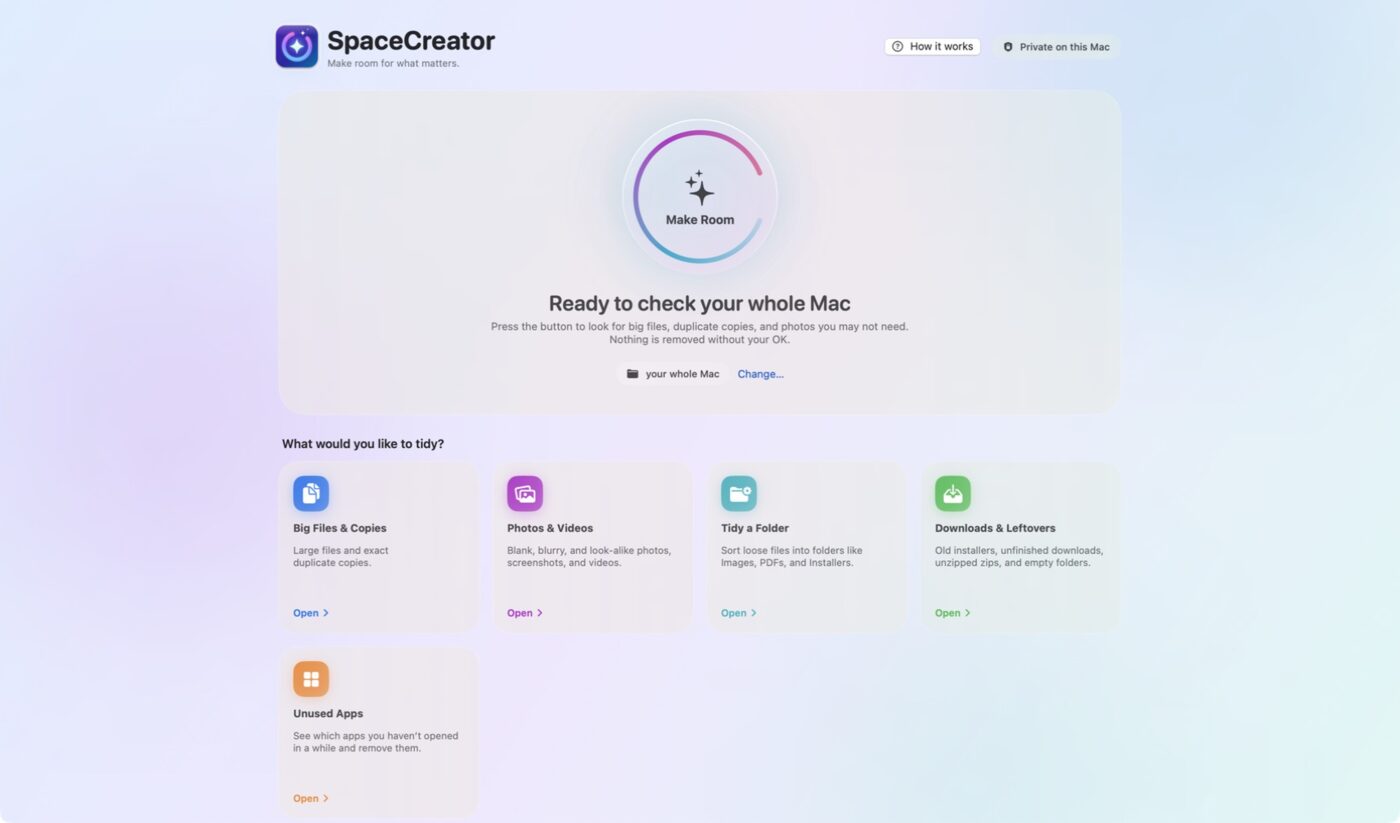
SpaceCreator home screen with the Make Room button and five areas to tidy: Big Files and Copies, Photos and Videos, Tidy a Folder, Downloads and Leftovers, and Unused Apps

Try it

Macintosh HD Free: 41 GB of 512 GB
Unneeded photos Duplicate files Apps you don't open Old downloads
Example numbers. Your Mac will differ.

What it finds

The clutter you'd never find by hand

SpaceCreator checks a folder you choose, or your whole Mac. Each result comes with a plain reason, so you know why it was flagged.

Photos & videos

Blank shots, blurry ones, screenshots and look-alikes.

  • “Keep best” picks the sharpest photo in each set
  • RAW + JPEG: remove the big RAW, keep the JPEG
  • Favorites and edited photos are never touched

Duplicate files

Exact copies, confirmed byte for byte.

  • “Keep one of each” in one click
  • Keeps the original name, not “copy” or “(1)”

Apps

Every app, sorted by when you last opened it.

  • See size and how often you use it
  • Removes the app and its leftover files together

Downloads & leftovers

The things that pile up after you install or unzip.

  • Installers for apps you already have
  • Half-finished downloads and unzipped archives
  • Empty folders and large files untouched for a year

How it stays safe

What happens to every file you remove

SpaceCreator was built so a mistake is easy to undo.

  1. Nothing is ticked for youYou choose every item. SpaceCreator only suggests.
  2. It checks the file againRight before moving, it confirms the file hasn't changed since the scan.
  3. One copy always staysIf you tick every copy of a file, it keeps one. Only fully blank pictures can go completely.
  4. It goes to the TrashNothing is erased. Space is freed when you empty the Trash.
  5. Put Back worksChanged your mind? One button returns the file to where it was.

Private

Your files stay on your Mac

No uploadsSpaceCreator has no internet features. It never sends your files anywhere.
No accountNo sign-up and no subscription login.
You pick the foldersIt only looks where you give it permission.

Availability

SpaceCreator is coming soon.

It's in testing now. The download will be posted here once it's ready.

Requires macOS 14 Sonoma or later